Stock Capture Details
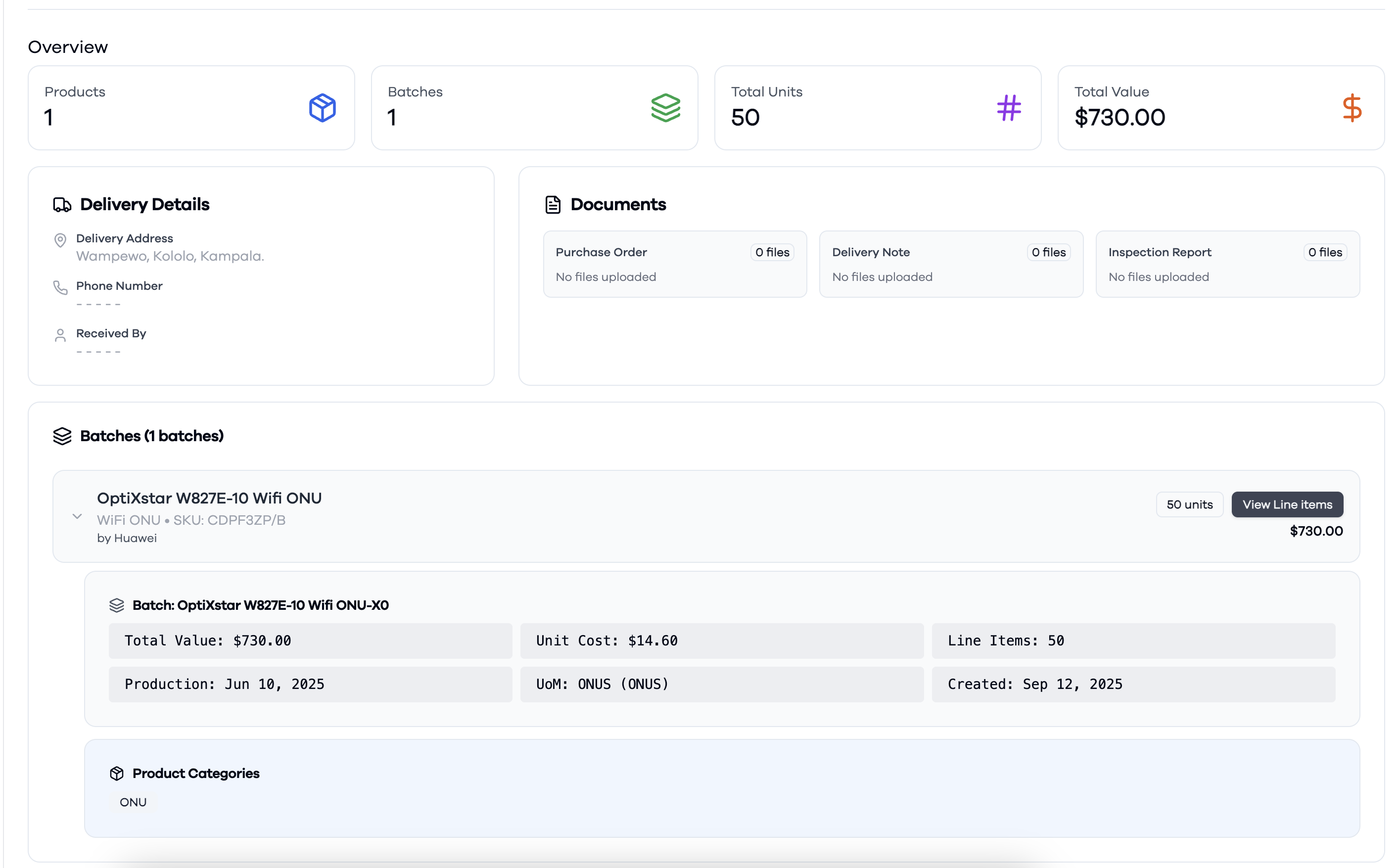
The Stock Capture Details view provides a comprehensive summary of a specific stock capture transaction. A stock capture represents the process of adding stock to a warehouse, either as a direct stock entry (with a reference number) or by referencing a Purchase Order (PO).
Key sections in this view include:
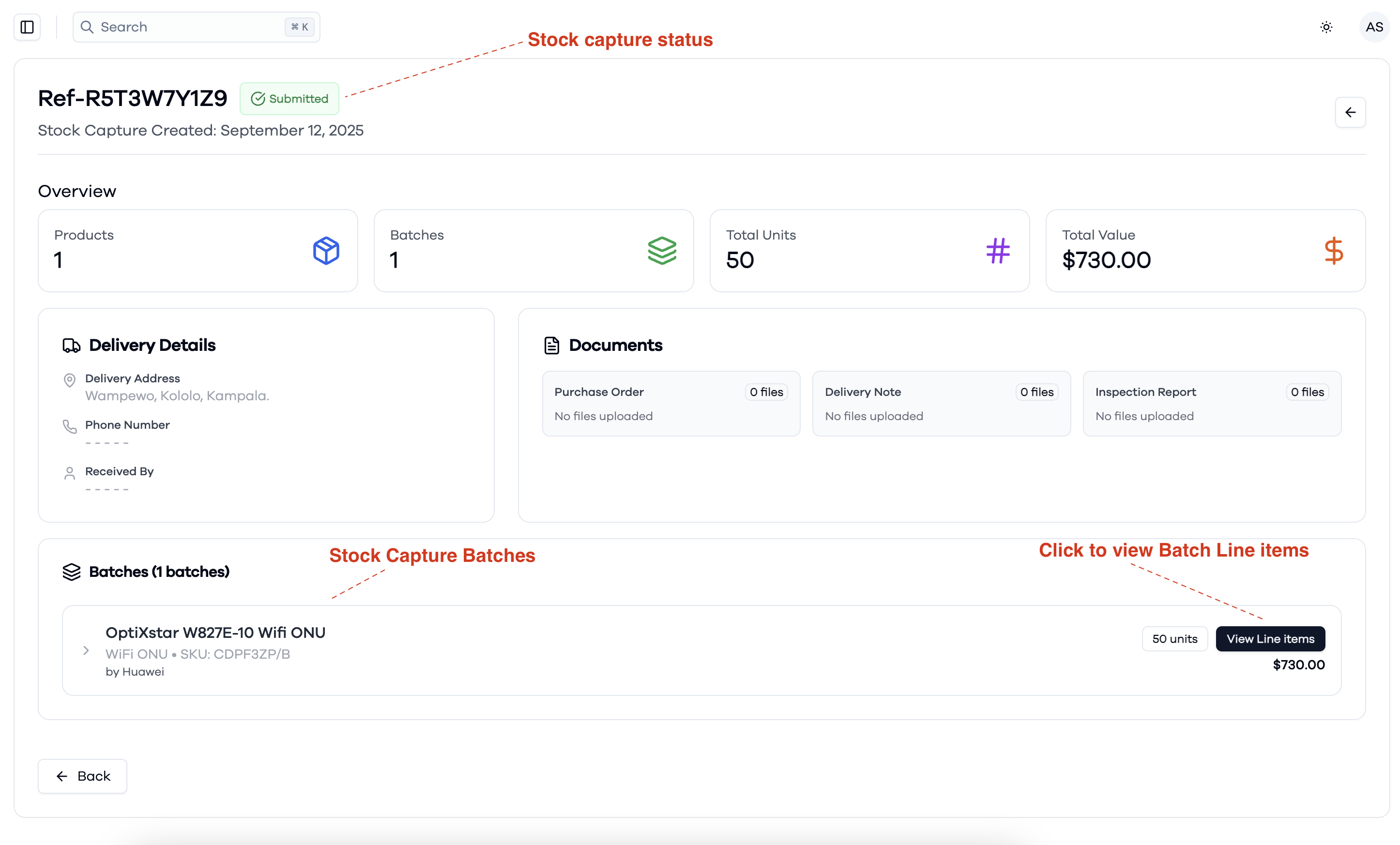
- Stock Capture Status and Reference: Displays the unique reference or PO number and the current status (e.g., Submitted).
- Overview: Shows summary metrics such as the number of products, batches, total units, and total value included in the stock capture.
- Delivery Details: Provides information about the delivery address, phone number, and recipient (if available).
- Documents: Lists related documents such as Purchase Orders, Delivery Notes, and Inspection Reports, with the ability to upload or view files.
- Batches: Displays all product batches included in the stock capture. For each batch, you can view product details, batch information (such as production date, unit cost, and line items), and product categories. You can also click to view the individual line items within each batch.
This view helps users track, verify, and audit the process of stock addition to the warehouse, ensuring all relevant details and documents are easily accessible.
Stock capture detail overview
Stock capture batch