Categories
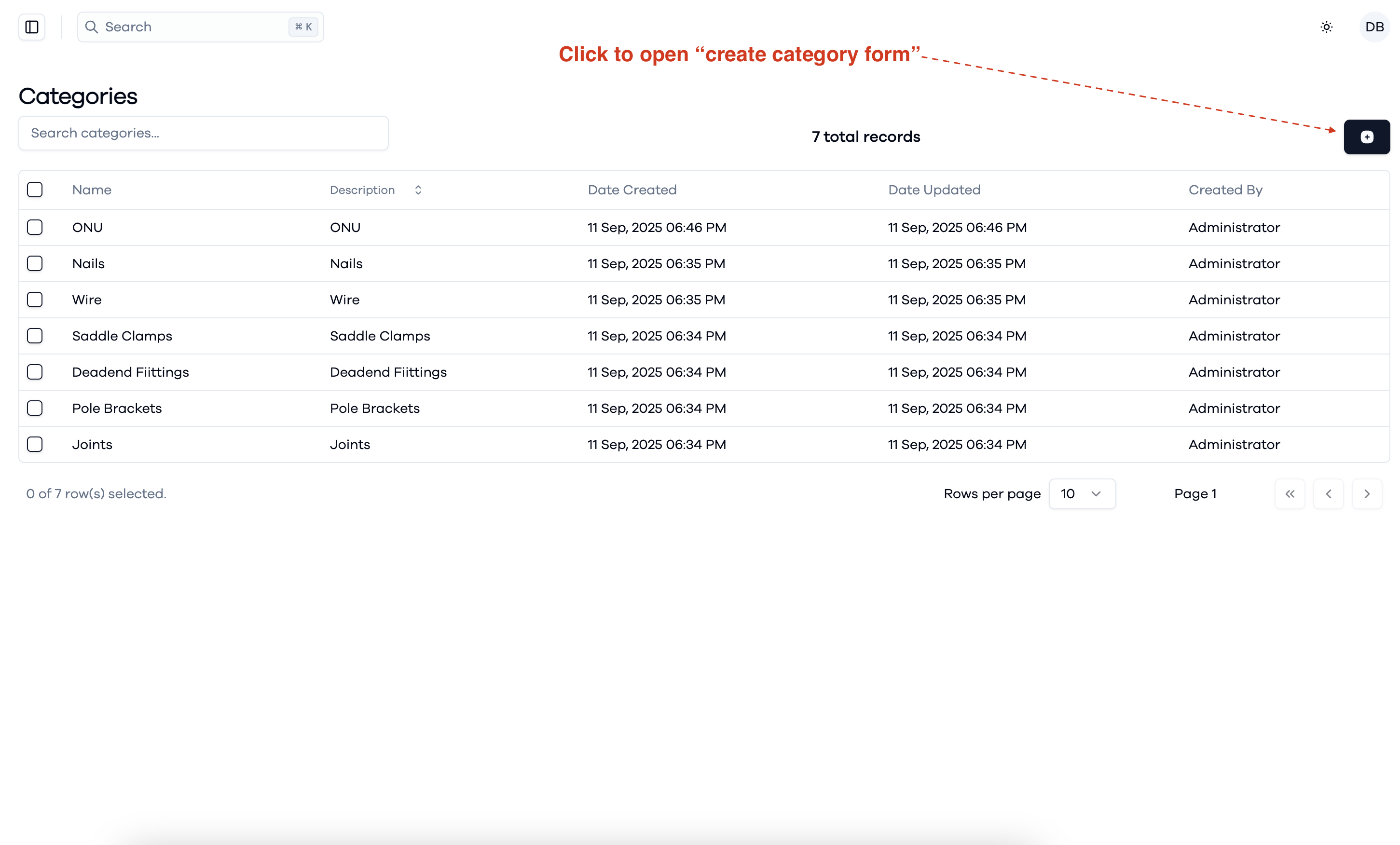
To manage product categories:
- Go to the Categories section in the Inventory Management system.
- Use the search bar to quickly find specific categories.
- Review the list to see category names, descriptions, creation and update dates, and who created them.
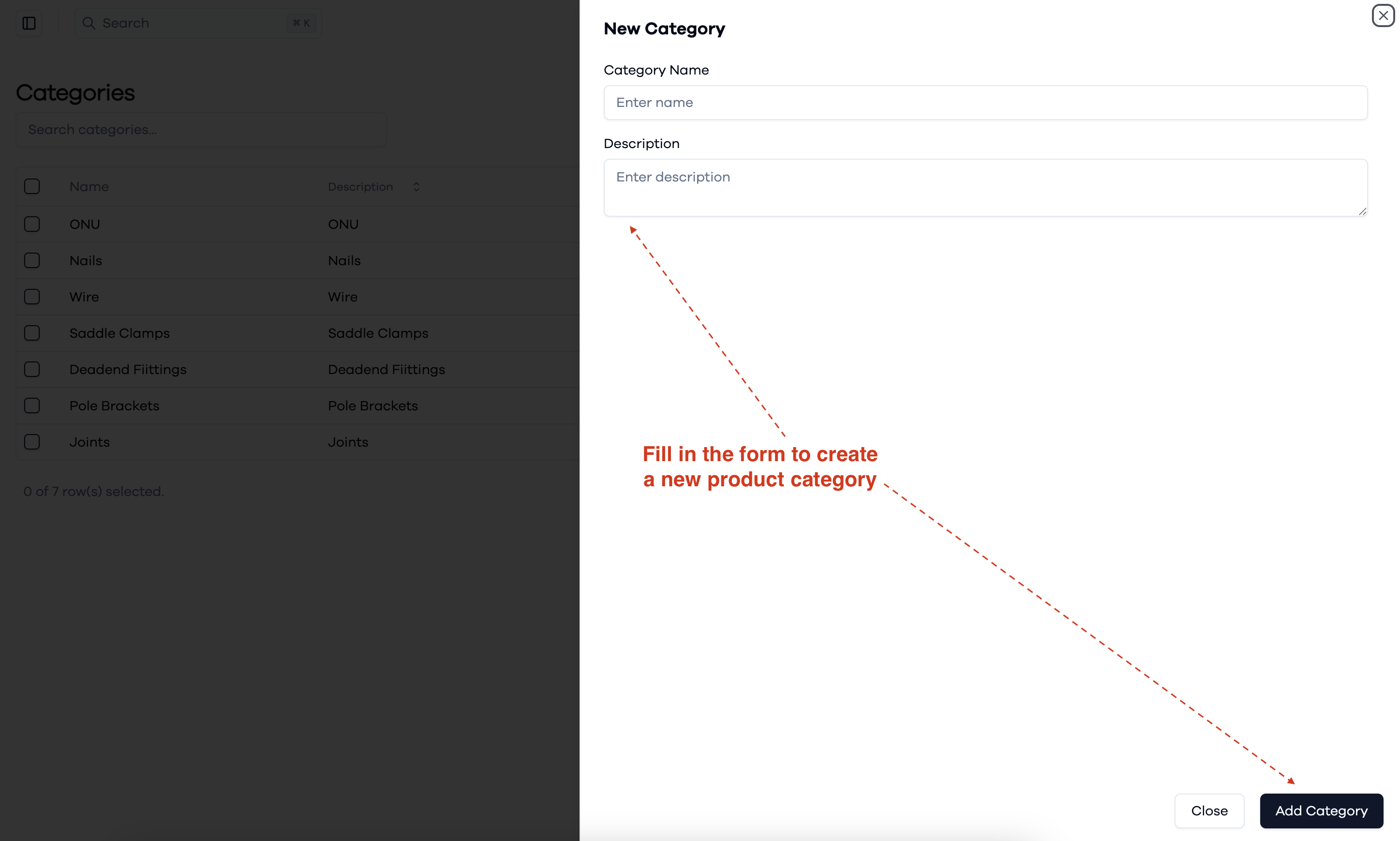
- To add a new category, click the button at the top right to open the "create category" form.
This interface helps you organize and manage product categories efficiently.
Creating a new category