Items
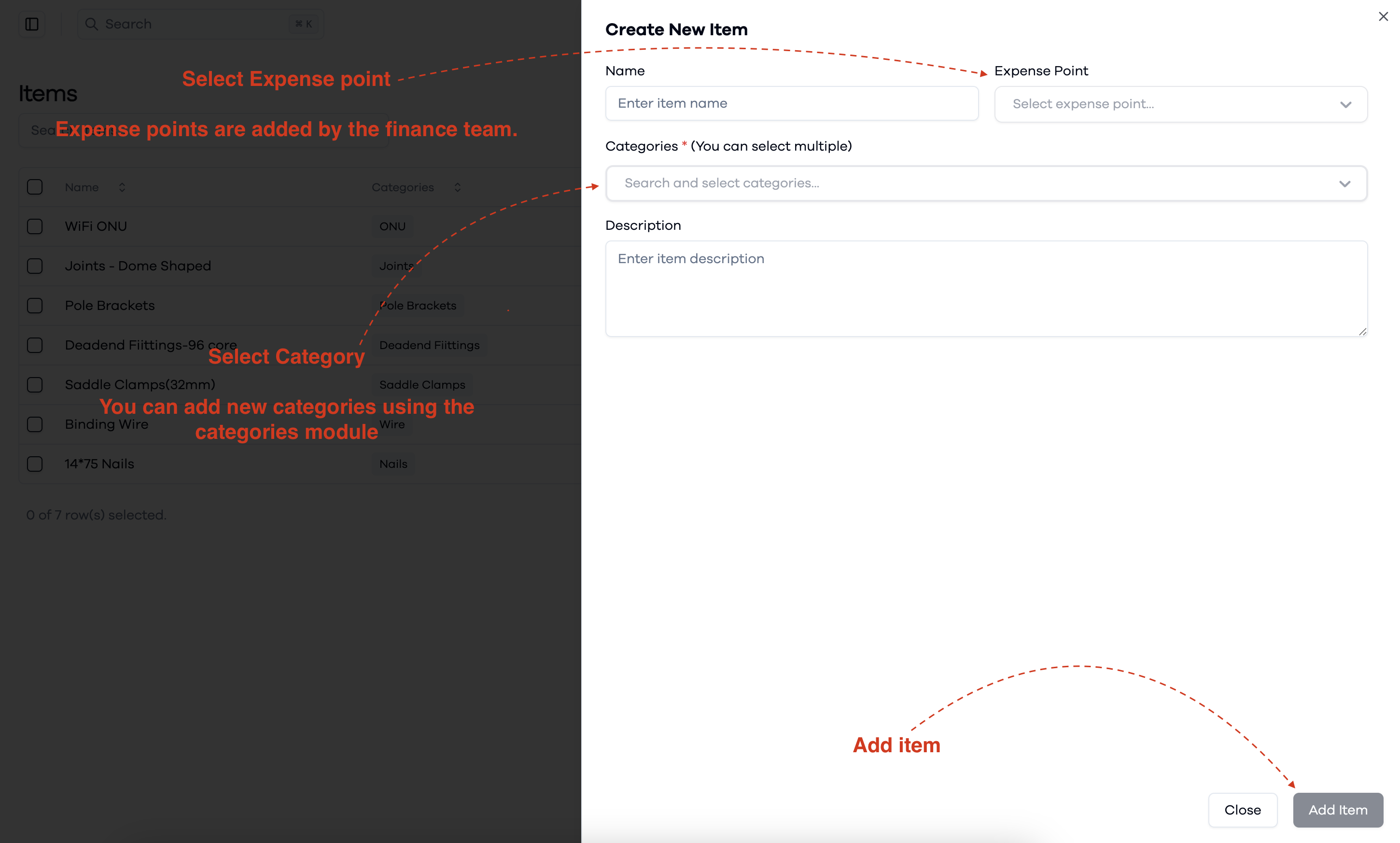
To manage items in the inventory:
- Go to the Items section in the Inventory Management system.
- Use the search bar to quickly find specific items.
- Review the list to see item names, categories, descriptions, creation and update dates, and who created them.
- To add a new item, click the button at the top right to open the "create new item" form.
View and Create Items
This interface helps you organize and manage inventory items efficiently.
Creating a New Item
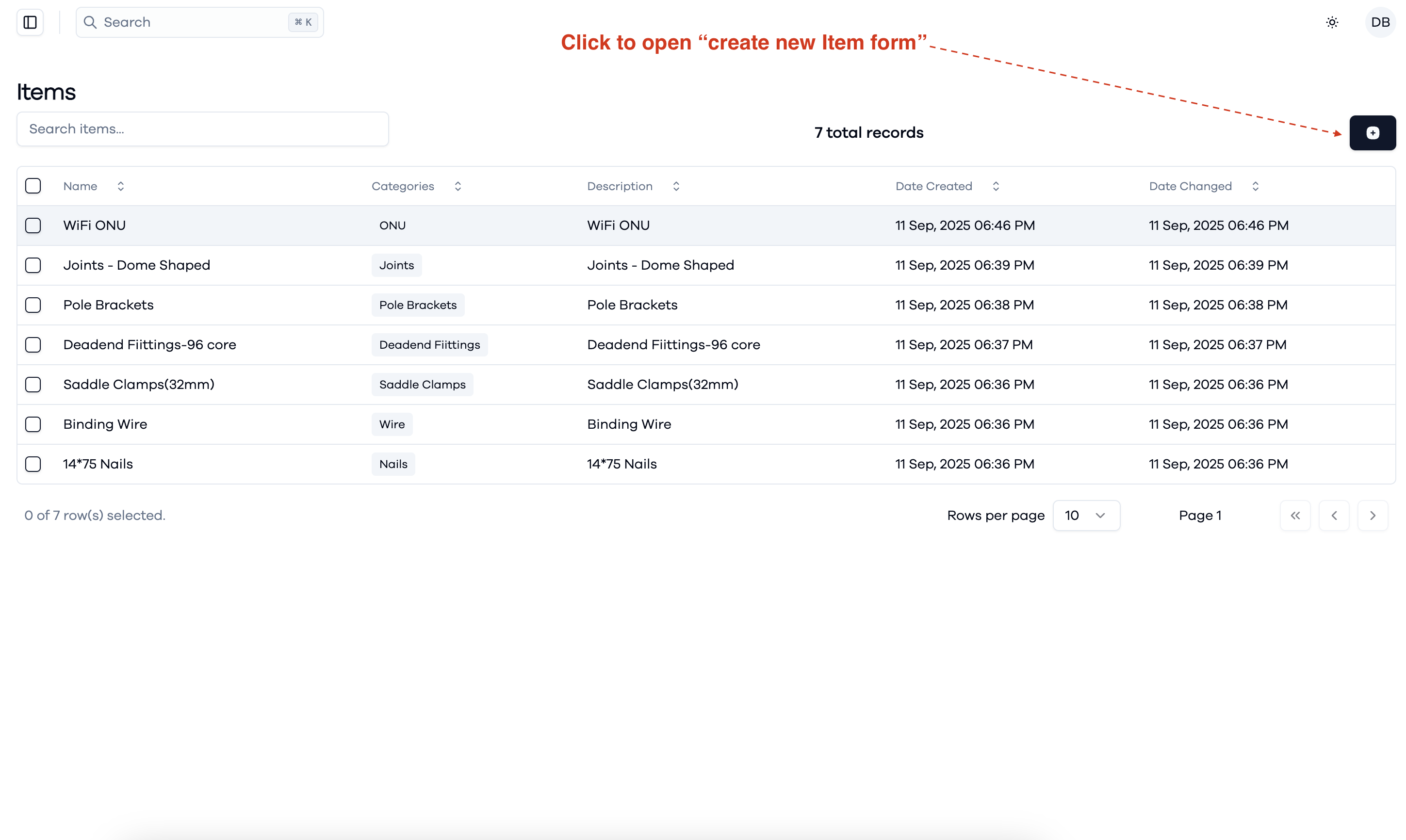
When creating a new item:
- Enter the item name and select the appropriate expense point (added by the finance team).
- Select one or more categories for the item. You can add new categories using the categories module if needed.
- Enter a description for the item.
- Click Add Item to save the new item to the inventory.