Material Resource Plan Lists
The Material Resource Plans section in the Inventory Management system displays different views based on user permissions and roles. The interface adapts to show relevant information and actions according to the user's level of access within the organization.
User Access Levels
Supply Chain Managers / Head of Supply Chain
Users with supply chain management rights or warehouse assignment permissions can view and manage MRPs across their Operating Company (OPCO) / country of attachment.
Warehouse Managers
Users assigned to specific warehouses can view and manage MRPs within their Operating Company (OPCO) / country of attachment that have been assigned to warehouses in their region.
Supply Chain Manager View
Supply chain managers and users with warehouse assignment rights have access to two main sections:
Pending Assignment Section
This section displays MRPs that have been submitted to inventory but are awaiting warehouse assignment.
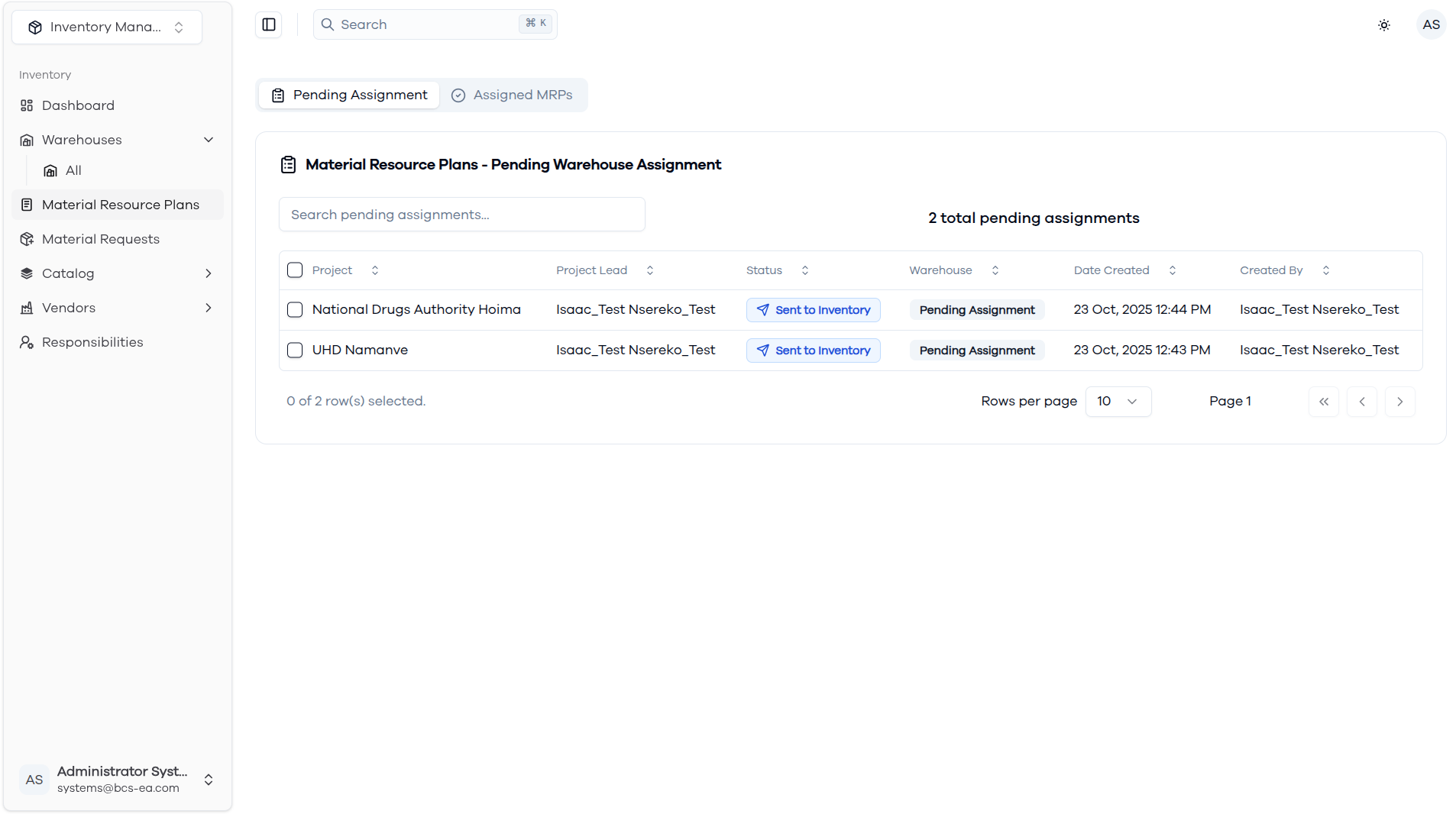
Features available:
- View all MRPs pending warehouse assignment
- Search and filter pending assignments
- Assign warehouses to Material Resource Plans using the "Assign Warehouse" action within the MRP details view
Typical workflow:
- Review incoming MRPs that need warehouse assignment within their OPCO
- Evaluate warehouse capacity and capabilities within their country based on Projects' needs.
- Assign appropriate warehouses based on material requirements and location within their region
- Mark availability of requested material, then disburse reserved material based on requests sent to inventory.
Assigned MRPs Section
This section shows all MRPs that have been assigned to warehouses within the user's Operating Company (OPCO) / country of attachment.
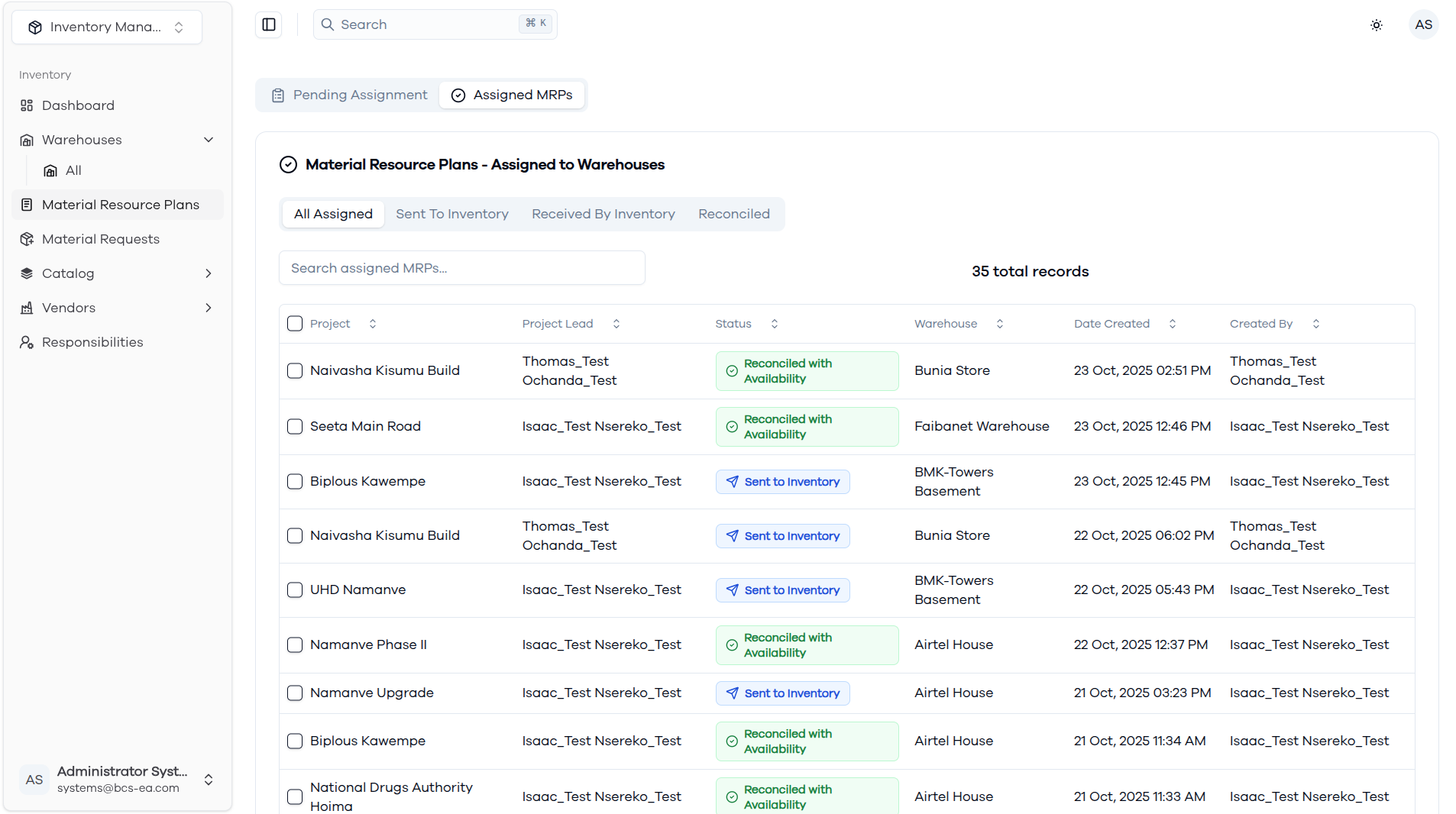
Features available:
- View all assigned MRPs within their OPCO with their current status
- Filter by status: All Assigned, Sent to Inventory, Received by Inventory, Reconciled
- Monitor progress across different warehouses within their country
- Search by project, warehouse, or status within their OPCO
- Track MRP lifecycle from assignment to completion within their region
- View warehouse assignments and responsible personnel in their country
Status indicators:
- Sent to Inventory - MRP assigned but not yet received by warehouse
- Received by Inventory - Warehouse has confirmed receipt of MRP
- Reconciled with Availability - Materials have been checked and availability confirmed
Warehouse Manager View
Warehouse managers see a simplified view focused on MRPs assigned to their specific warehouse.
Assigned Within My OPCO
Warehouse managers can view MRPs that have been assigned to warehouses within their Operating Company (OPCO) / country of attachment.
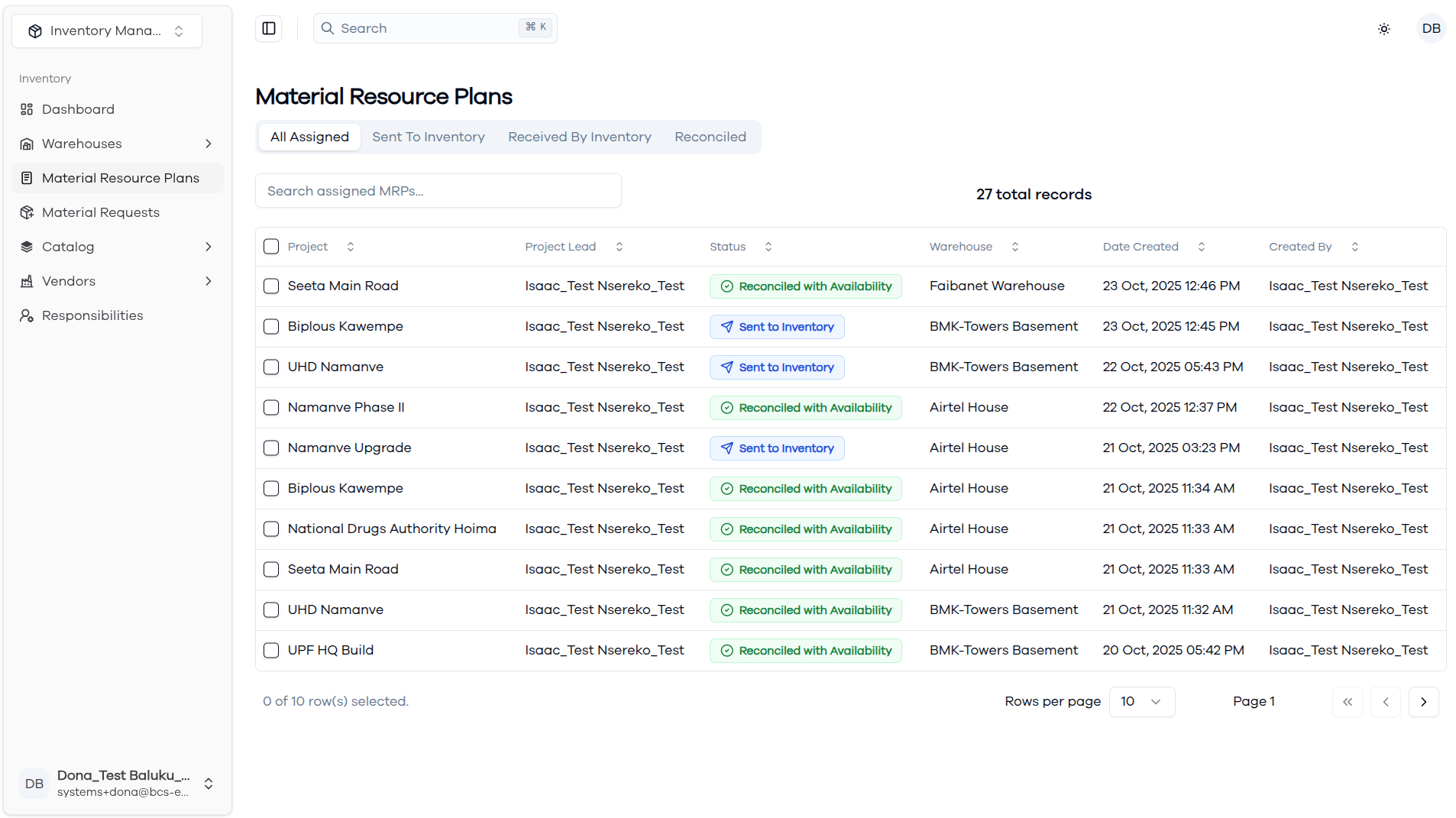
Features available:
- View MRPs assigned to warehouses within their OPCO
- Filter by status within their country's warehouse operations
- Set material availability for line items in their facility
- Reserve materials for projects within their region
- Mark MRPs as reconciled.
- Search within MRPs in their Operating Company
Typical workflow:
- Receive notification of new MRP assignment
- Confirm receipt of MRP in the system
- Review material requirements and check availability
- Mark items as available or unavailable
- Reserve materials as needed for projects
- Complete reconciliation process
Status Progression
All users can track MRP status progression through these stages:
- Pending Assignment - Awaiting warehouse assignment (Supply Chain only)
- Sent to Inventory - Assigned to warehouse but not confirmed
- Received by Inventory - Warehouse has confirmed receipt
- Reconciled with Availability - Processing complete, materials allocated
Navigation and Filtering
Both user types can utilize:
- Search functionality - Find specific MRPs by project name or details
- Status filtering - View MRPs by their current processing stage
- Date sorting - Organize by creation or modification dates
- Pagination - Navigate through large lists of MRPs efficiently
The system ensures that each user sees only the information relevant to their role and Operating Company while maintaining visibility into the MRP processing workflow within their country of attachment.