Warehouse Details
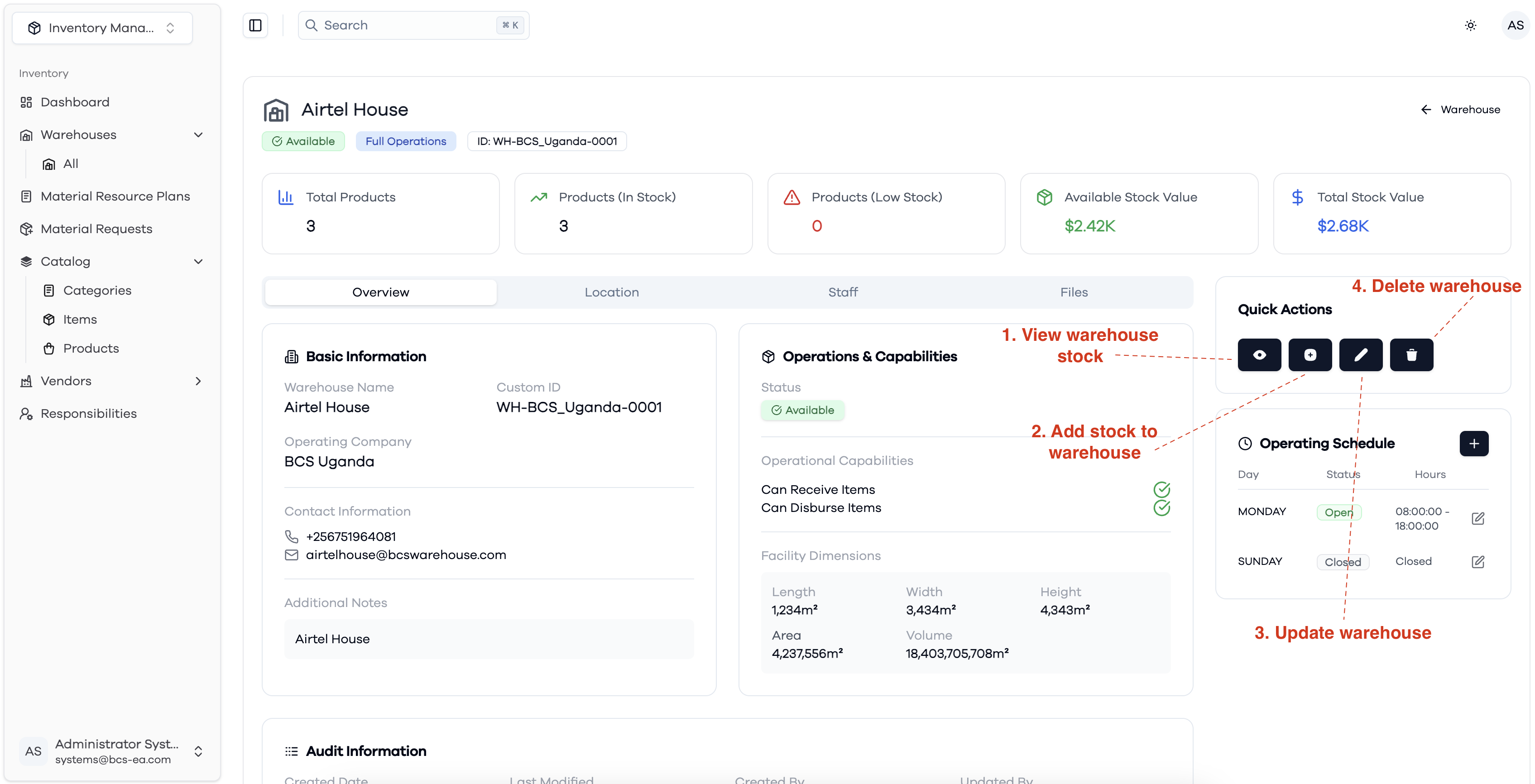
The Warehouse Details view provides a comprehensive overview of a specific warehouse, including its status, operational capabilities, facility dimensions, and contact information. Key features and actions available on this page include:
- View Warehouse Stock: Access the current stock levels and inventory details for the selected warehouse.
- Add Stock to Warehouse: Quickly add new stock items to the warehouse inventory.
- Update Warehouse: Edit warehouse information such as name, contact details, and operational schedule.
- Delete Warehouse: Remove the warehouse from the system if it is no longer needed.
Additional information such as the total number of products, available stock value, and operating schedule is also displayed for easy reference.
Overview
Staff Tab
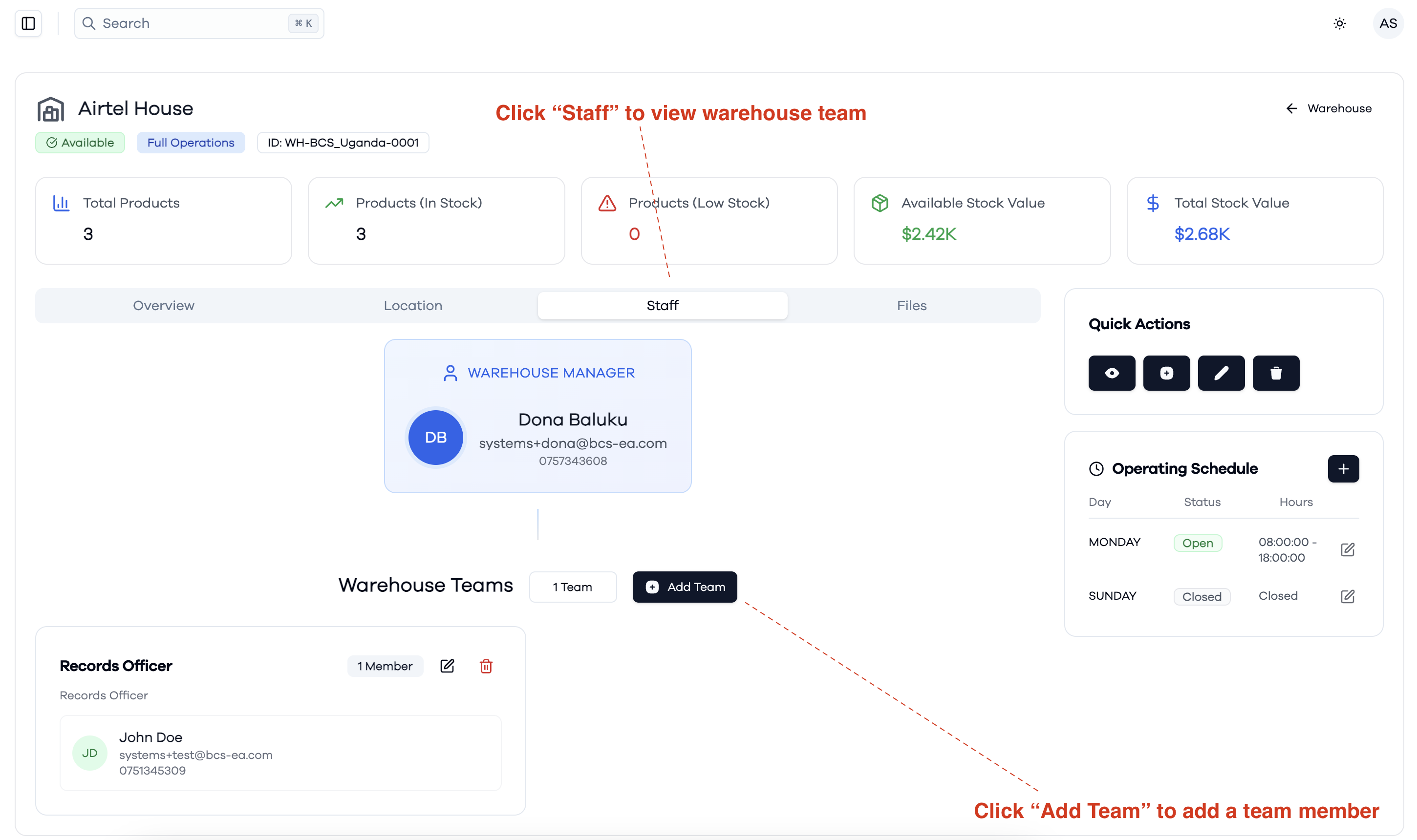
The Staff tab displays the warehouse team structure:
- Warehouse Manager: Shows the main manager responsible for the warehouse, including their contact details.
- Warehouse Teams: Lists all teams and their members assigned to the warehouse, along with their roles and contact information.
- Add Team: Allows you to add new teams or team members to the warehouse.
- You can also edit or remove existing teams and members from this view.
This section helps manage and organize the personnel responsible for warehouse operations.
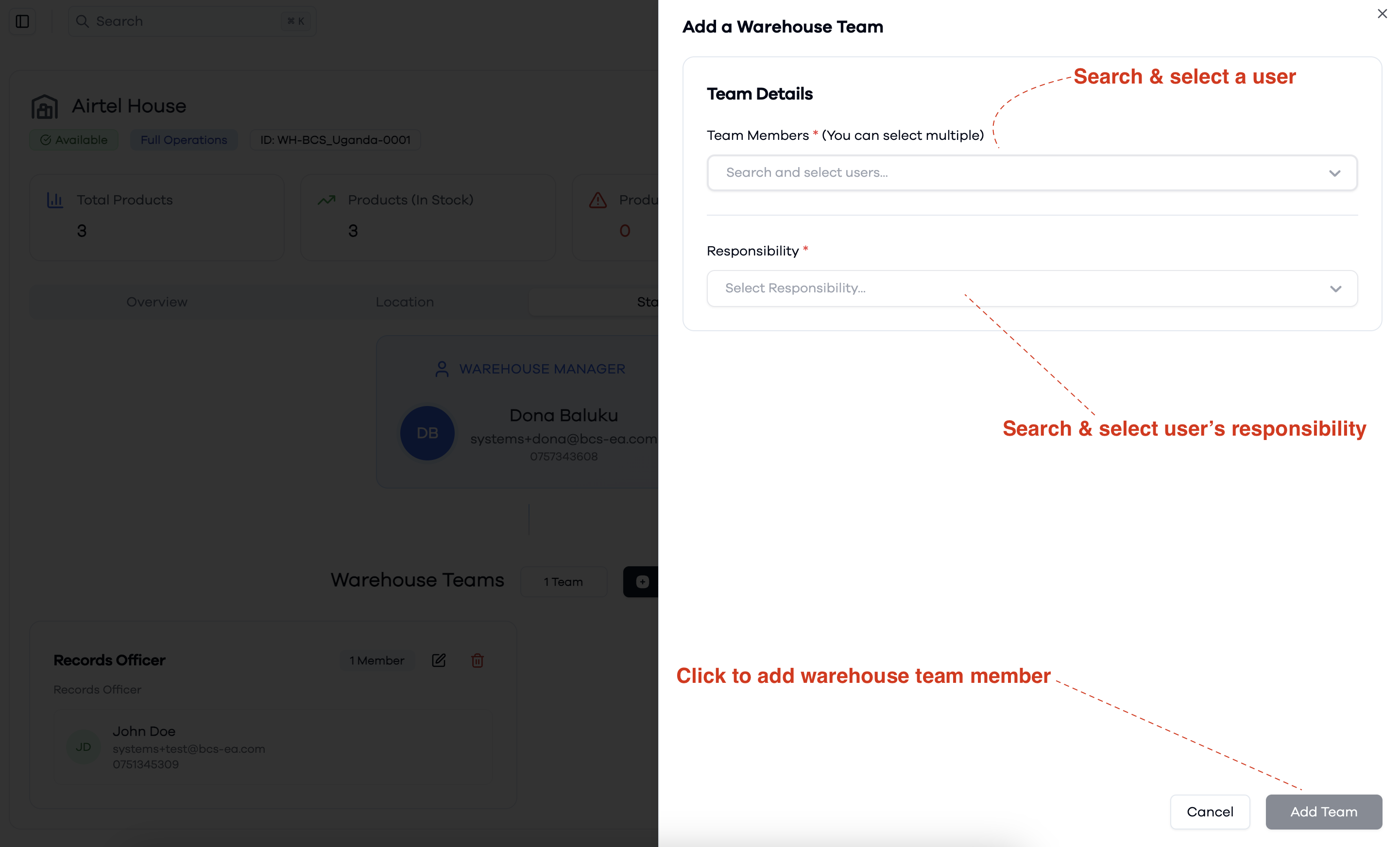
Adding Team members
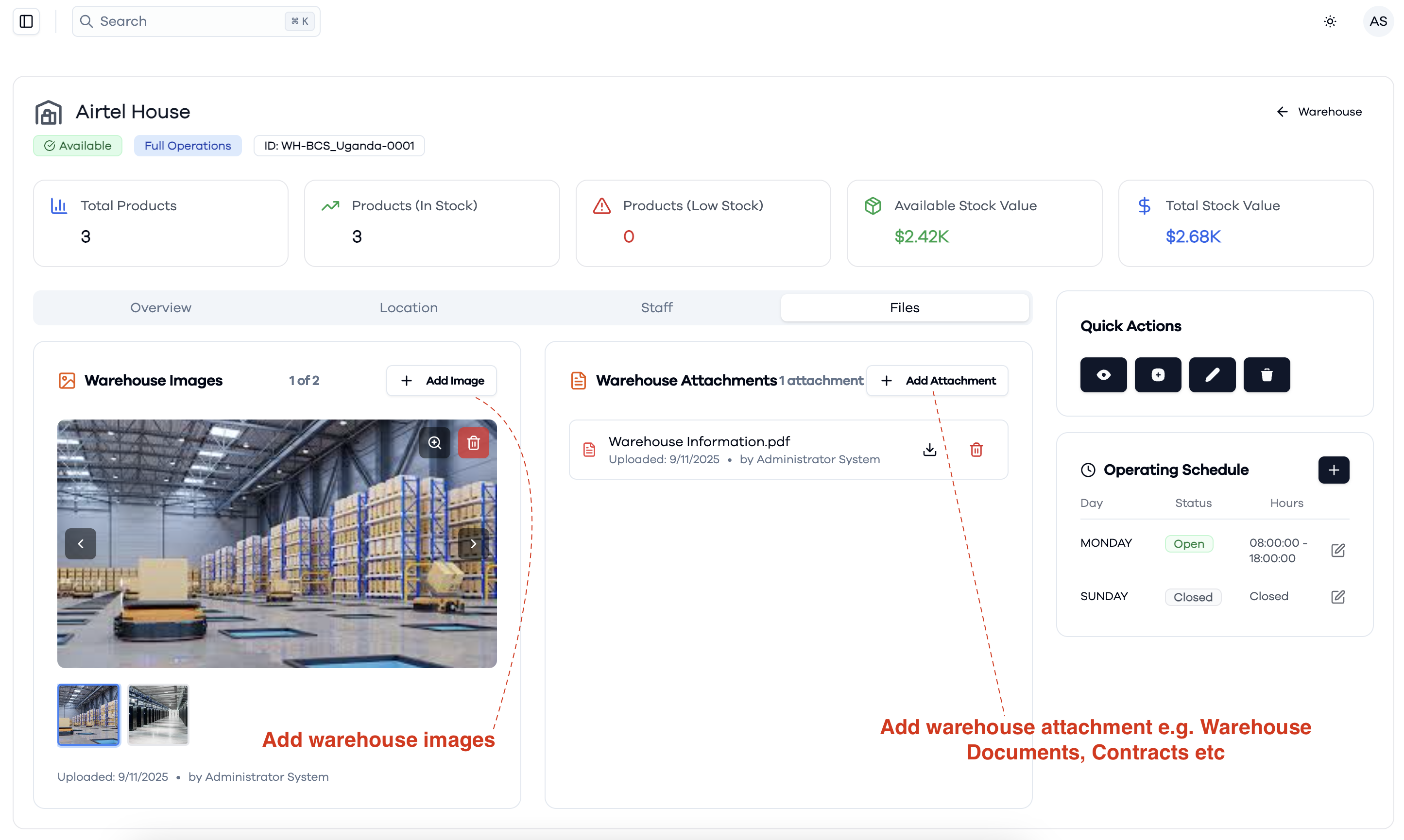
Warehouse Images & Attachements