Product Stock
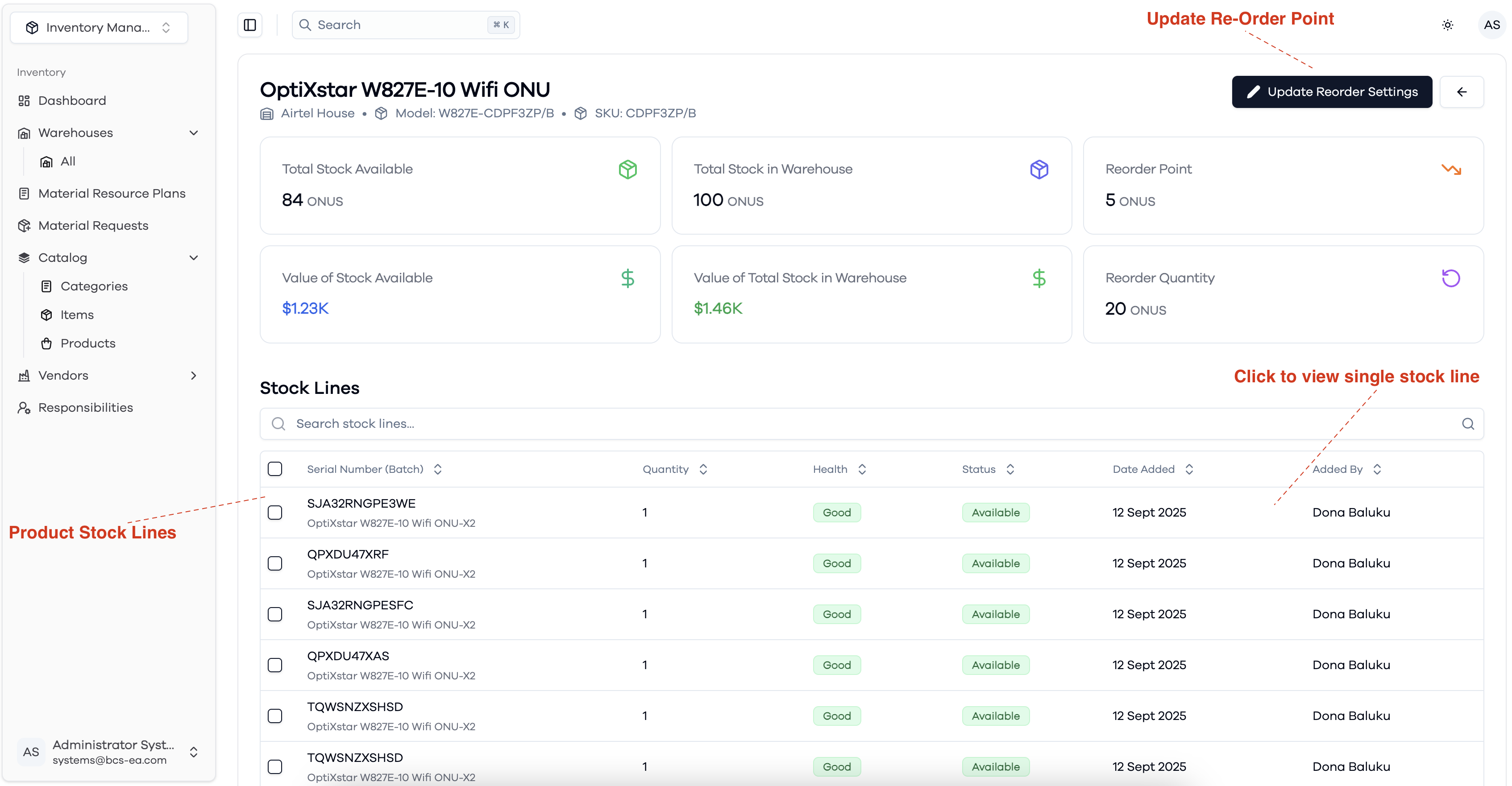
The Product Stock view provides detailed information about the stock of a specific product within a warehouse. At the top, you can see:
- Total Stock Available: The quantity of this product currently available for disbursement from the warehouse.
- Total Stock in Warehouse: Quantity of this product in the warehouse, including both reserved and available stock.
- Reorder Point & Reorder Quantity: Inventory thresholds that help trigger restocking actions for this product. You can update these settings using the "Update Reorder Settings" button.
- Value of Stock: Displays the monetary value of both available and total stock for the product.
Below these summary cards, the Stock Lines section lists all individual stock entries (batches or serial numbers) for the product in the warehouse. For each stock line, you can view:
- Serial Number or Batch
- Quantity
- Health status (e.g., Good)
- Availability status (e.g., Available)
- Date added
- User who added the stock
You can search through stock lines and click on a row to view more details about a specific stock line.
Product Stock levels Overview