Warehouse Stock Levels
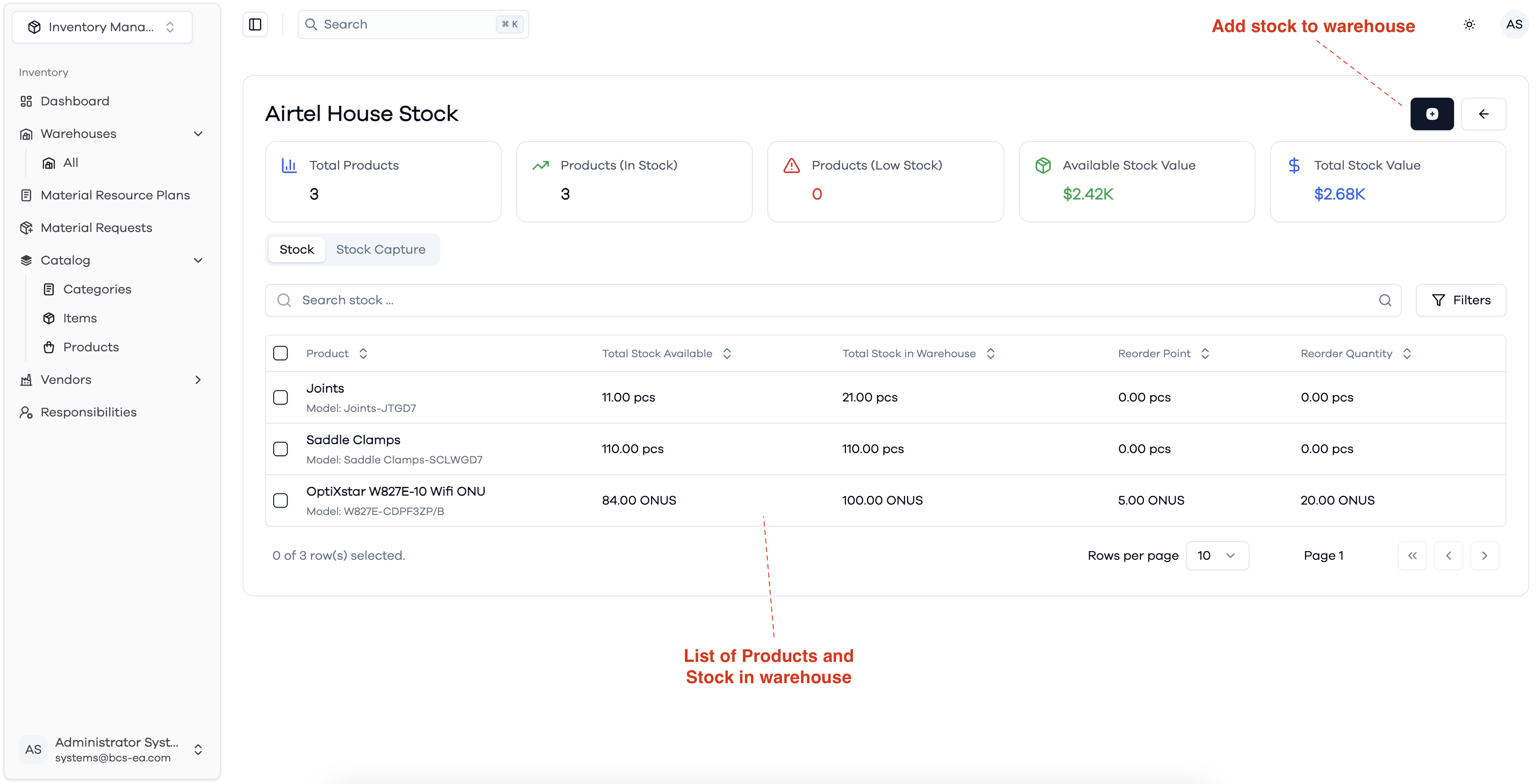
The Warehouse Stock view provides a detailed list of all products stored in a specific warehouse. For each product, you can see:
- Total Stock Available: The quantity of stock currently available for disbursement from the warehouse.
- Total Stock in Warehouse: The total quantity of stock in the warehouse, including both reserved and available stock.
- Reorder Point & Reorder Quantity: Thresholds to help manage inventory levels and trigger restocking actions.
You can also add new stock to the warehouse using the action button at the top right. The view includes search and filter options to help you quickly find specific products or stock information.
Stock levels Overview