Requisition Lists
The Project Requisitions page provides comprehensive management capabilities for all project-related requisitions within the project management module. This centralized hub enables project managers and staff to create, track, and manage both cash and material requisitions throughout the project lifecycle with detailed status tracking and filtering capabilities.
Project Requisitions List
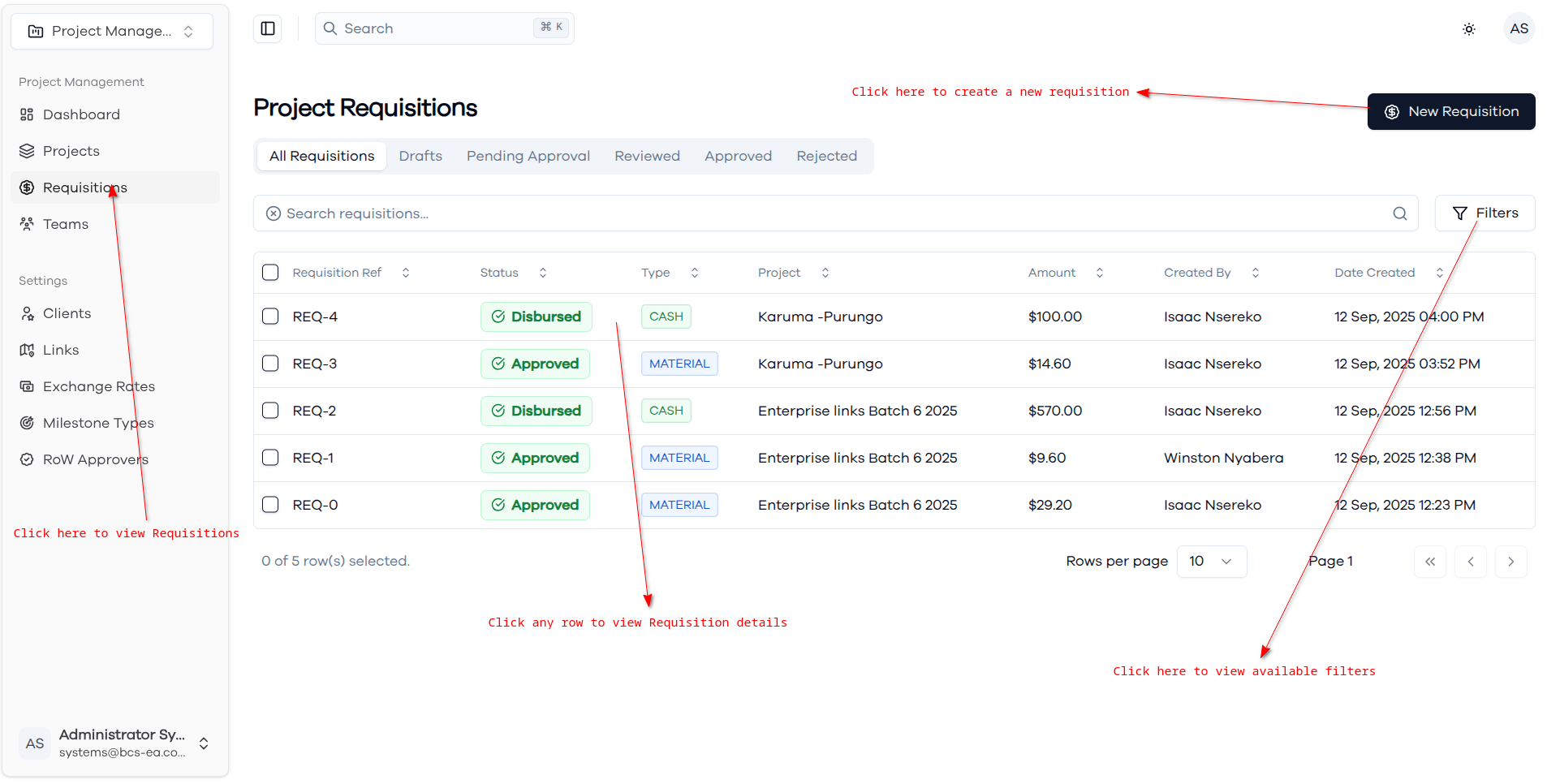
The main requisitions view displays all project requisitions in a searchable table format with comprehensive status categorization. The interface organizes requisitions into status-based tabs including All Requisitions, Drafts, Pending Approval, Reviewed, Approved, and Rejected for easy navigation. Each requisition entry shows the requisition reference number, current status with color-coded indicators , requisition type (CASH or MATERIAL), associated project, amount, creator, and creation date.
Requisition Filtering.
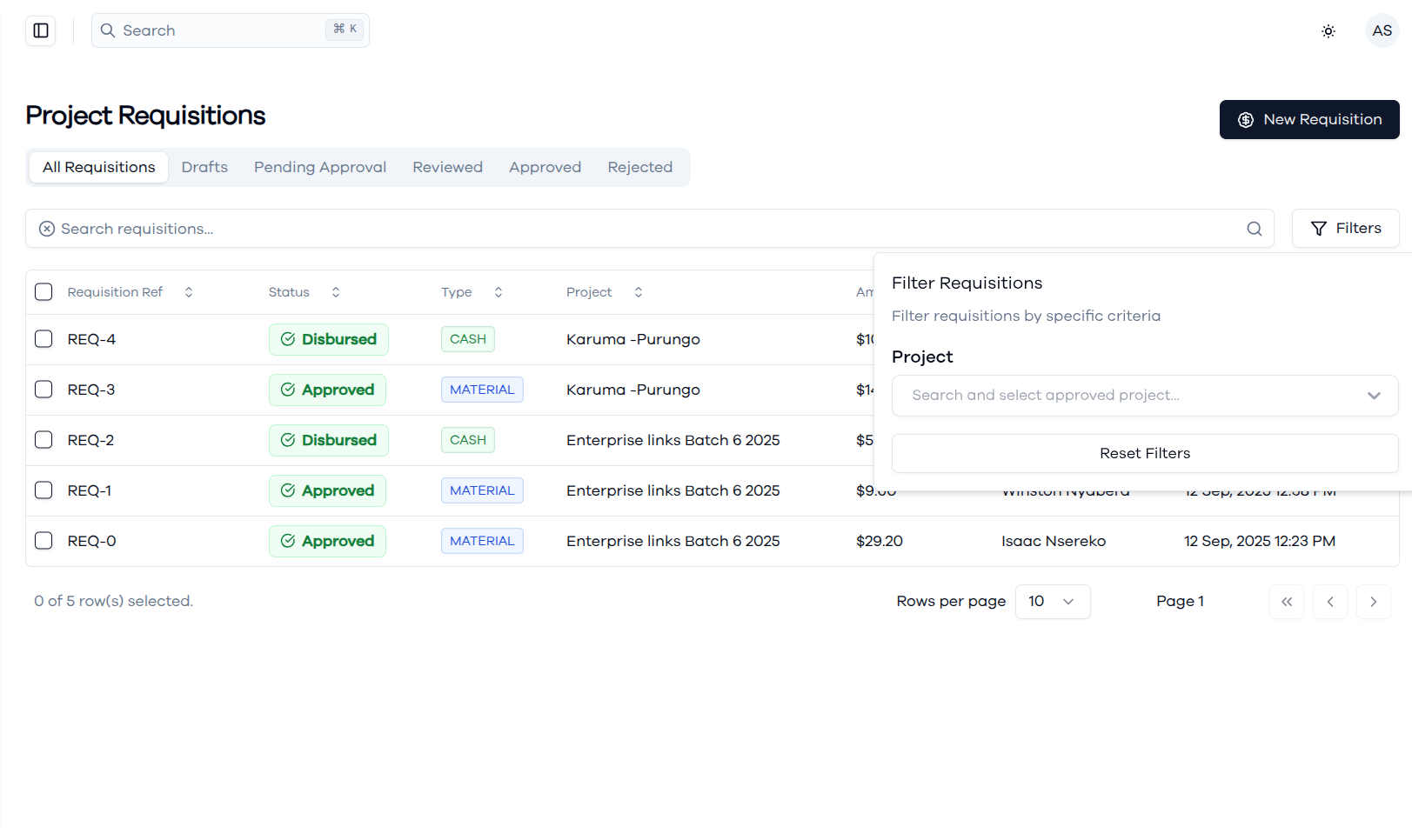
The filter interface provides a "Search and select approved project" dropdown for project-specific filtering, helping project managers focus on requisitions for specific projects. The "Reset Filters" option allows quick clearing of applied filters to return to the main requisitions list.