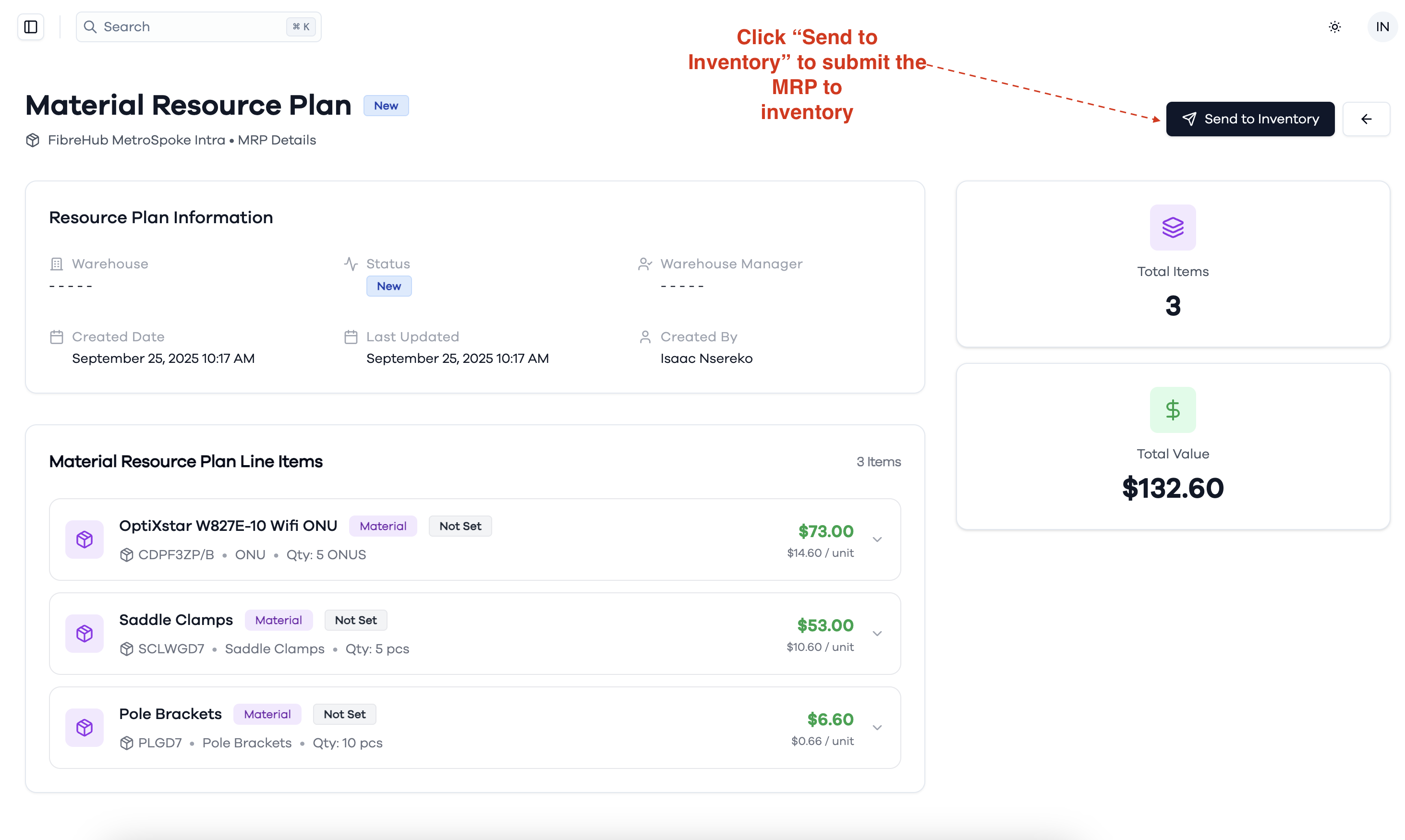
Project Material Resource Plan (MRP)
The MRP tab provides material utilization analytics and resource planning oversight. This section displays material utilization summaries with visual distribution charts showing the proportion of different materials used, along with detailed material resource plans showing reconciliation status, locations, dates, and assigned personnel. This comprehensive material tracking ensures efficient resource allocation and inventory management throughout the project lifecycle.
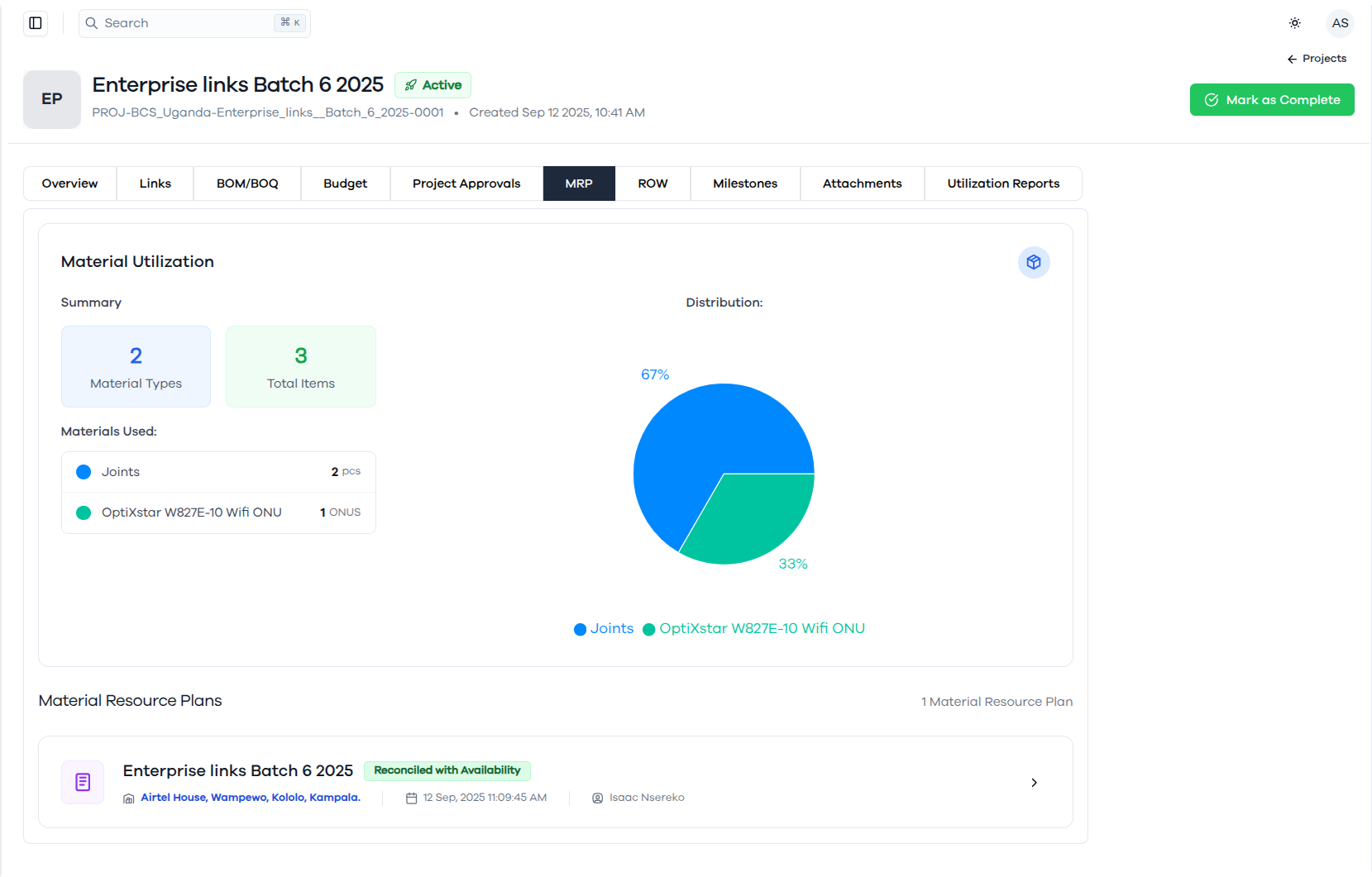
Submit an MRP to Inventory
To create a Material Resource Plan for a project:
- Navigate to the project details page of the specific project you want to manage.
- Click on the MRP tab in the project navigation menu.
- On the MRP page, click the Create M.R.P button to start a new Material Resource Plan.
This allows you to plan and manage material resources for your project efficiently.
Create a Material Resource Plan (MRP)
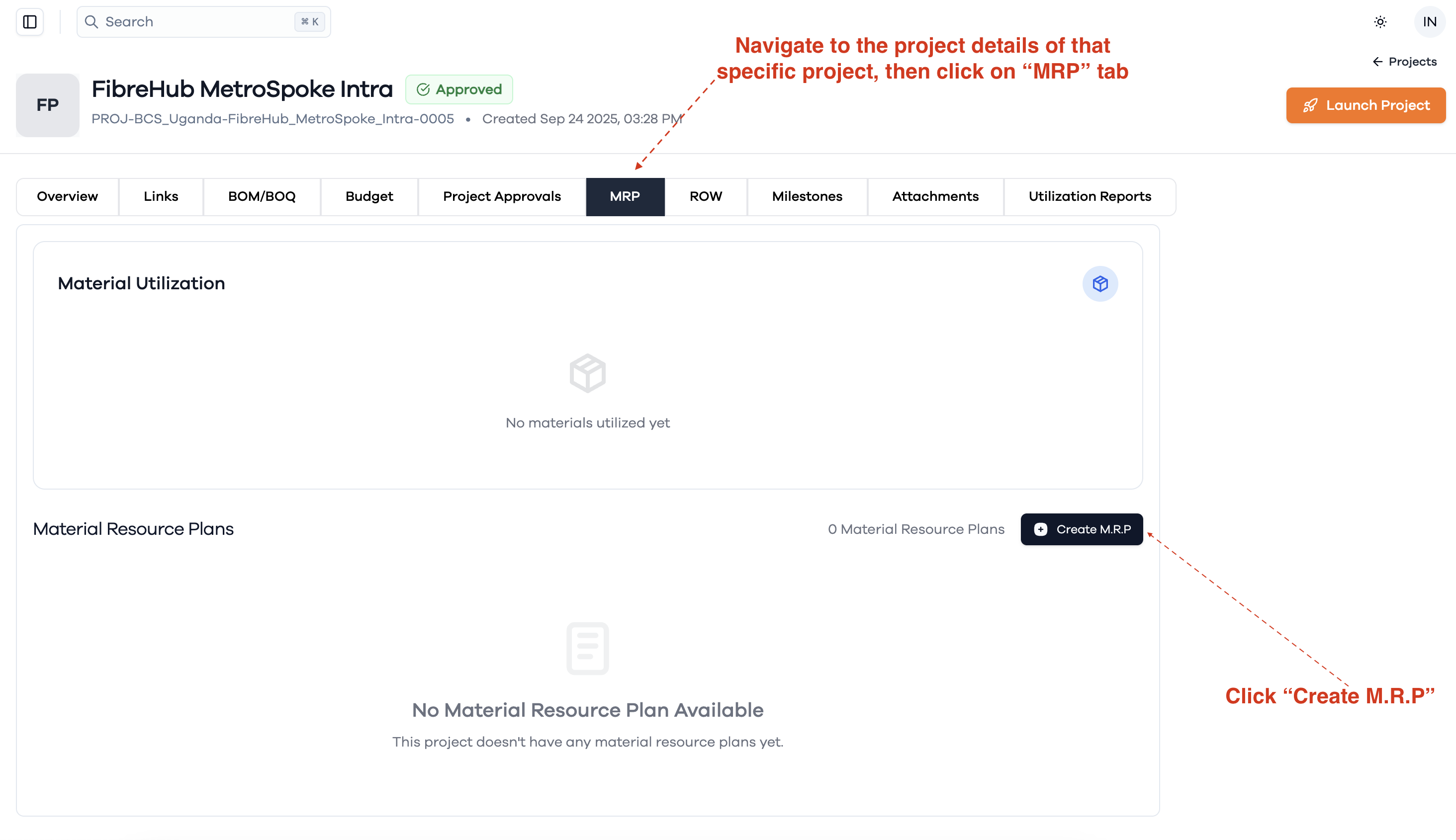
Fill Out the Material Resource Plan Form
When creating a new Material Resource Plan:
- Select Budget: Choose the project budget to be attached to the MRP from the dropdown menu. This is a required field.
- Add Additional Notes: Optionally, enter any relevant notes or comments in the Additional Notes field to provide more context for the MRP.
- Click Create to finalize and save the Material Resource Plan, or Close to cancel.
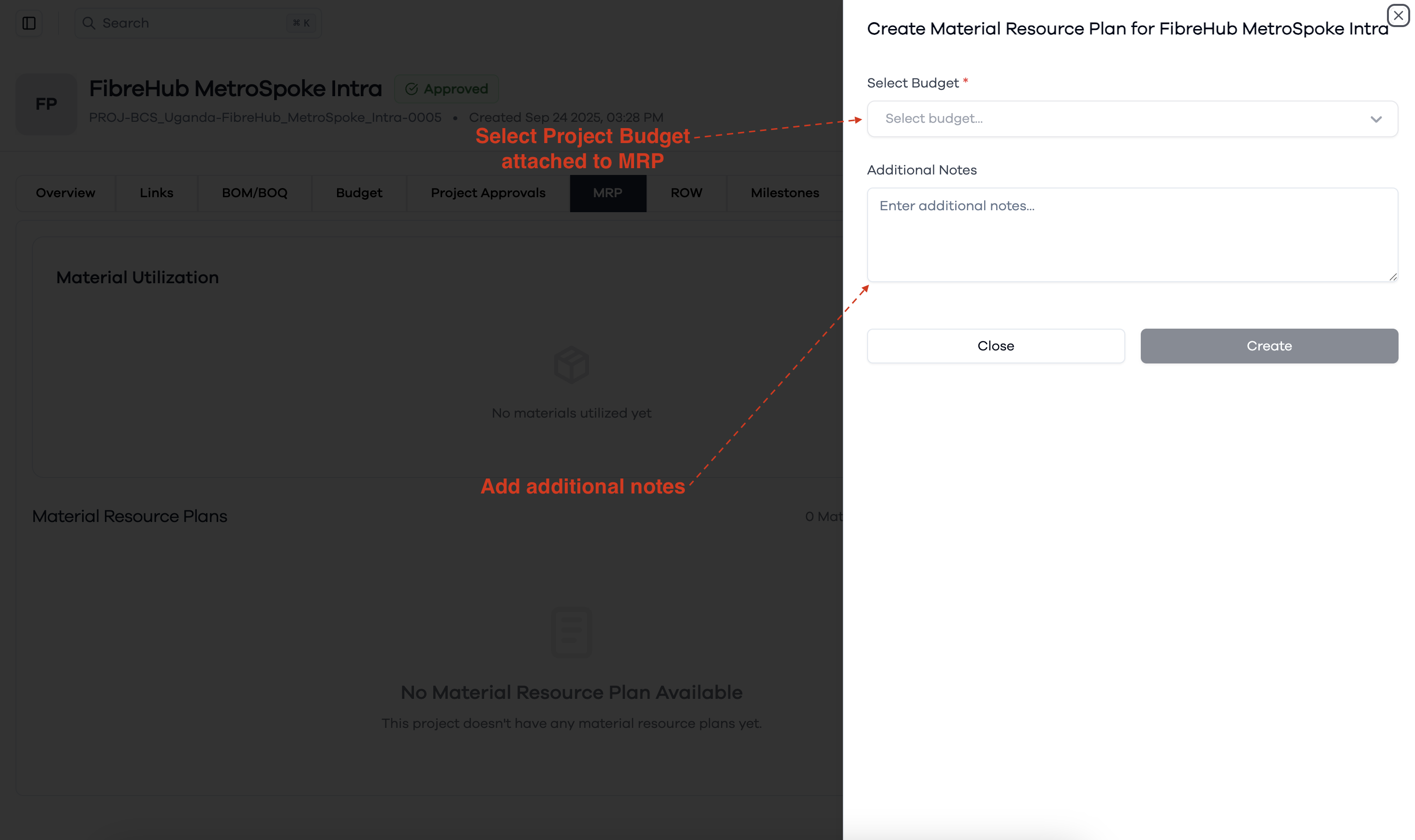
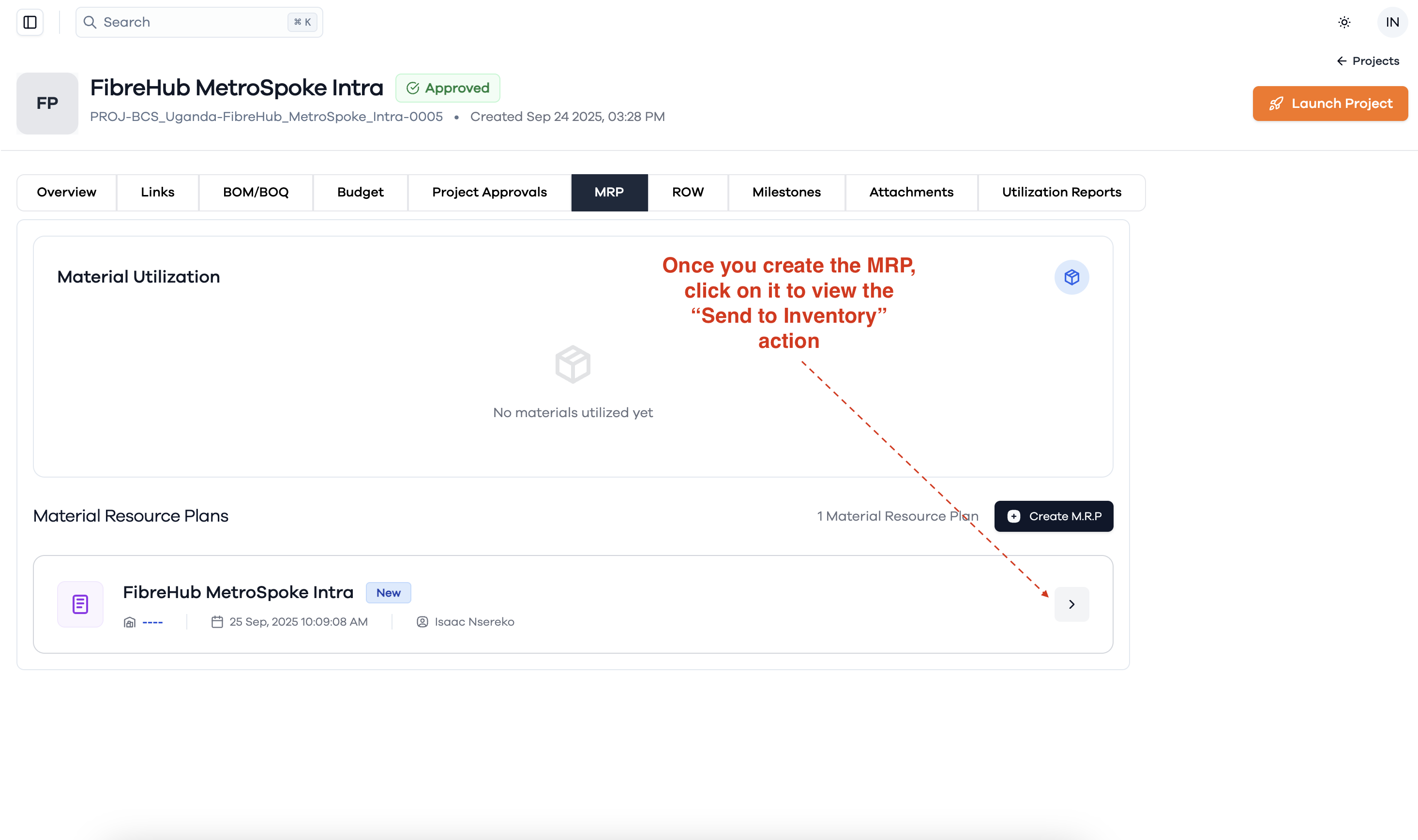
Access the "Send to Inventory" Action
After you have created a Material Resource Plan (MRP):
- Locate the newly created MRP in the Material Resource Plans list.
- Click on the MRP entry to open its details.
- In the details view, you will find the option to perform the Send to Inventory action.
This allows you to proceed with submitting the MRP to inventory for further processing.
Submit the MRP to Inventory
In the Material Resource Plan details view:
- Review the Resource Plan Information and Line Items to ensure all details are correct.
- Click the Send to Inventory button at the top right of the page to submit the MRP to inventory.
This action will process the MRP and submit it to inventory.